
A LITTLE PIECE OF KOREA
Questions?
We've Got You.
Everything you need to know about Baeko.

NFC & HOW IT WORKS
Everything about tapping Baeko.
What is NFC?
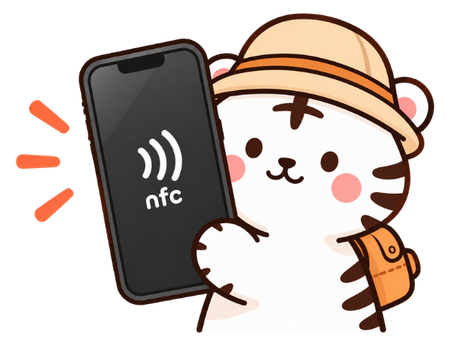
NFC stands for Near Field Communication. It allows your smartphone to interact with Baeko simply by holding your phone close to the NFC tag.
How do I use Baeko?
Simply hold Baeko near your phone’s NFC antenna. When a notification appears, tap it to open your Baeko travel content.
No app needed. Just tap and explore.
Do I need to download an app?
No. You don’t need to download any app.
Baeko works directly with compatible NFC-enabled smartphones.
Where should I tap Baeko on my phone?
The NFC antenna location depends on your phone model.
For iPhones, it is usually near the top of the phone. On Android devices, it may be near the top or center of the back.
If you’re not sure, check our NFC Guide for more details.
What if Baeko doesn't scan?
First, make sure your screen is on and NFC is enabled if your phone requires it.
Try removing a thick phone case and slowly move Baeko around your phone’s NFC antenna area.
WHAT'S INSIDE BAEKO?
Discover a different side of Korea.
What happens when I tap Baeko?
You can find recommendations and practical information for exploring Korea, including:
🍜 Food & Restaurants
☕ Cafés
🏯 Places to Visit
🛍 Shopping
💡 Local Tips
The content is designed to help make your trip around Korea easier and more enjoyable.
What kind of information can I find?
No. Baeko works without a separate app. Just tap your keyring with a compatible smartphone and open the link.
How are places selected?
We focus on places that we’ve actually visited and experienced ourselves.
Rather than filling the map with random recommendations, we share places we would feel comfortable recommending to a friend visiting Korea.
Does the content change over time?
Yes!
Because Baeko connects you to digital content, we can continue adding new places, recommendations and useful travel information even after you get your keyring.


LANGUAGES
Korea, in your language.
Which languages are available?
Baeko currently provides travel content in:
🇬🇧 English
🇸🇦 العربية
🇮🇹 Italiano
Choose your language and explore Korea in a way that’s easier to understand.
Is the information simply translated?
Not always.
Our goal is not just to translate the same information word for word. We want to provide travel information that is useful and relevant to travelers from different countries and cultures.
Not just translated. Made for you.


ABOUT THE KEYRING
Small keyring, big journey.
What size is Baeko?
Baeko is approximately 70 mm in size.
It’s compact enough to carry on your bag while still standing out as a fun reminder of your Korean journey.
Is NFC built into the keyring?
Yes. Baeko has an NFC tag built inside the keyring.
Simply hold your compatible smartphone near Baeko to access the digital content.
Does it need batteries or charging?
No.
Baeko’s NFC tag doesn’t require batteries or charging, so you can simply tap it whenever you want to explore.
🔋 No Battery · ⚡ No Charging
Can I use Baeko more than once?
Yes!
Baeko can be tapped again and again. Whenever you want to access the content, simply tap Baeko with your phone.


ORDER & DELIVERY
Get Baeko during your trip.
How much is Baeko?
The Baeko NFC Keyring is currently:
₩30,000
The price includes the Baeko keyring and access to its digital travel content.
How can I order Baeko?
You can order Baeko directly through our website.
Choose your Baeko, enter your delivery information and complete your payment online.
Can Baeko be delivered to my hotel in Korea?
Yes!
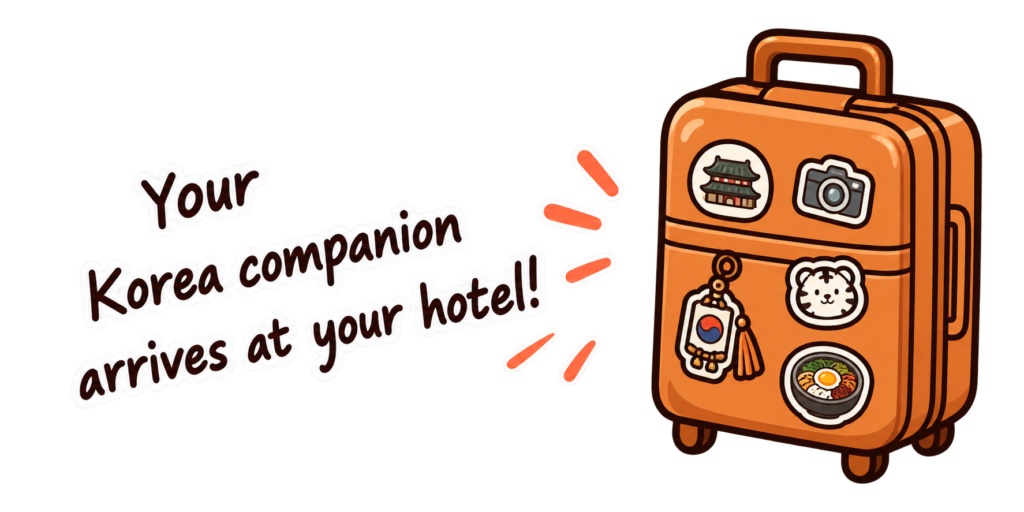
Baeko can be delivered to eligible hotels in Korea, so it can be waiting for you during your trip.
What information do I need for hotel delivery?
To help us deliver your Baeko correctly, we may need:
• Your full name
• Hotel name
• Hotel address
• Check-in date
• Reservation name
Please make sure the information matches your hotel reservation whenever possible.
How long does delivery take?
Delivery times may vary depending on your location and order date.
Your estimated delivery information will be shown when you place your order.

TROUBLESHOOTING
Still having trouble?
Nothing happens when I tap Baeko. What should I do?
Try these quick steps:
✓ Make sure your phone supports NFC.
✓ Make sure your screen is on.
✓ Enable NFC if required by your device.
✓ Remove a thick phone case.
✓ Tap Baeko near your phone’s NFC antenna.
If it still doesn’t work, check our NFC Guide.
I see "Tap the product again." What should I do?
Simply bring Baeko close to your phone’s NFC antenna and tap it again.
Make sure your phone is unlocked and keep Baeko close to the NFC antenna for a moment.
My phone doesn't recognize the NFC tag.
The NFC antenna is located in different places depending on the phone model.
Try slowly moving Baeko around the top or back of your phone. Thick or metal phone cases may also interfere with NFC recognition.
I'm still having trouble.
We’re here to help.
If you’ve tried the NFC Guide and Baeko still isn’t working, contact us and tell us your phone model and what happens when you try to tap Baeko.
Still can't find the answer?
We're here to help!
YOUR KOREA COMPANION
Less Questions.
More Exploring.
Tap Baeko and make your Korea journey easier.
A LITTLE PIECE OF KOREA
Questions? We've Got You.
Everything you need to know about Baeko.

NFC & HOW IT WORKS
Everything about tapping Baeko.
What is NFC?
NFC stands for Near Field Communication. It allows your smartphone to interact with Baeko simply by holding your phone close to the NFC tag.
How do I use Baeko?
Simply hold Baeko near your phone’s NFC antenna. When a notification appears, tap it to open your Baeko travel content.
No app needed. Just tap and explore.
Do I need to download an app?
No. You don’t need to download any app.
Baeko works directly with compatible NFC-enabled smartphones.
Where should I tap Baeko on my phone?
The NFC antenna location depends on your phone model.
For iPhones, it is usually near the top of the phone. On Android devices, it may be near the top or center of the back.
If you’re not sure, check our NFC Guide for more details.
What if Baeko doesn't scan?
First, make sure your screen is on and NFC is enabled if your phone requires it.
Try removing a thick phone case and slowly move Baeko around your phone’s NFC antenna area.
WHAT'S INSIDE BAEKO?
Discover a different side of Korea.
What happens when I tap Baeko?
You can find recommendations and practical information for exploring Korea, including:
🍜 Food & Restaurants
☕ Cafés
🏯 Places to Visit
🛍 Shopping
💡 Local Tips
The content is designed to help make your trip around Korea easier and more enjoyable.
What kind of information can I find?
No. Baeko works without a separate app. Just tap your keyring with a compatible smartphone and open the link.
How are places selected?
We focus on places that we’ve actually visited and experienced ourselves.
Rather than filling the map with random recommendations, we share places we would feel comfortable recommending to a friend visiting Korea.
Does the content change over time?
Yes!
Because Baeko connects you to digital content, we can continue adding new places, recommendations and useful travel information even after you get your keyring.
LANGUAGES
Korea, in your language.
Which languages are available?
Baeko currently provides travel content in:
🇬🇧 English
🇸🇦 العربية
🇮🇹 Italiano
Choose your language and explore Korea in a way that’s easier to understand.
Is the information simply translated?
Not always.
Our goal is not just to translate the same information word for word. We want to provide travel information that is useful and relevant to travelers from different countries and cultures.
Not just translated. Made for you.
ABOUT THE KEYRING
Small keyring, big journey.
What size is Baeko?
Baeko is approximately 70 mm in size.
It’s compact enough to carry on your bag while still standing out as a fun reminder of your Korean journey.
Is NFC built into the keyring?
Yes. Baeko has an NFC tag built inside the keyring.
Simply hold your compatible smartphone near Baeko to access the digital content.
Does it need batteries or charging?
No.
Baeko’s NFC tag doesn’t require batteries or charging, so you can simply tap it whenever you want to explore.
🔋 No Battery · ⚡ No Charging
Can I use Baeko more than once?
Yes!
Baeko can be tapped again and again. Whenever you want to access the content, simply tap Baeko with your phone.
ORDER & DELIVERY
Get Baeko during your trip.
How much is Baeko?
The Baeko NFC Keyring is currently:
25 USD
The price includes the Baeko keyring and access to its digital travel content.
How can I order Baeko?
You can order Baeko directly through our website.
Choose your Baeko, enter your delivery information and complete your payment online.
Can Baeko be delivered to my hotel in Korea?
Yes!
Baeko can be delivered to eligible hotels in Korea, so it can be waiting for you during your trip.
What information do I need for hotel delivery?
To help us deliver your Baeko correctly, we may need:
• Your full name
• Hotel name
• Hotel address
• Check-in date
• Reservation name
Please make sure the information matches your hotel reservation whenever possible.
How long does delivery take?
Delivery times may vary depending on your location and order date.
Your estimated delivery information will be shown when you place your order.
TROUBLESHOOTING
Still having trouble?
Nothing happens when I tap Baeko. What should I do?
Try these quick steps:
✓ Make sure your phone supports NFC.
✓ Make sure your screen is on.
✓ Enable NFC if required by your device.
✓ Remove a thick phone case.
✓ Tap Baeko near your phone’s NFC antenna.
If it still doesn’t work, check our NFC Guide.
I see "Tap the product again." What should I do?
Simply bring Baeko close to your phone’s NFC antenna and tap it again.
Make sure your phone is unlocked and keep Baeko close to the NFC antenna for a moment.
My phone doesn't recognize the NFC tag.
The NFC antenna is located in different places depending on the phone model.
Try slowly moving Baeko around the top or back of your phone. Thick or metal phone cases may also interfere with NFC recognition.
I'm still having trouble.
We’re here to help.
If you’ve tried the NFC Guide and Baeko still isn’t working, contact us and tell us your phone model and what happens when you try to tap Baeko.
Still can't find the answer?
We're here to help!
YOUR KOREA COMPANION
Less Questions.
More Exploring.
Tap Baeko and make your Korea journey easier.
A LITTLE PIECE OF KOREA
Questions?
We've Got You.
Everything you need to know about Baeko.
NFC & HOW IT WORKS
Everything about tapping Baeko.
What is NFC?
NFC stands for Near Field Communication. It allows your smartphone to interact with Baeko simply by holding your phone close to the NFC tag.
How do I use Baeko?
Simply hold Baeko near your phone’s NFC antenna. When a notification appears, tap it to open your Baeko travel content.
No app needed. Just tap and explore.
Do I need to download an app?
No. You don’t need to download any app.
Baeko works directly with compatible NFC-enabled smartphones.
Where should I tap Baeko on my phone?
The NFC antenna location depends on your phone model.
For iPhones, it is usually near the top of the phone. On Android devices, it may be near the top or center of the back.
If you’re not sure, check our NFC Guide for more details.
What if Baeko doesn't scan?
First, make sure your screen is on and NFC is enabled if your phone requires it.
Try removing a thick phone case and slowly move Baeko around your phone’s NFC antenna area.
WHAT'S INSIDE BAEKO?
Discover a different side of Korea.
What happens when I tap Baeko?
You can find recommendations and practical information for exploring Korea, including:
🍜 Food & Restaurants
☕ Cafés
🏯 Places to Visit
🛍 Shopping
💡 Local Tips
The content is designed to help make your trip around Korea easier and more enjoyable.
What kind of information can I find?
No. Baeko works without a separate app. Just tap your keyring with a compatible smartphone and open the link.
How are places selected?
We focus on places that we’ve actually visited and experienced ourselves.
Rather than filling the map with random recommendations, we share places we would feel comfortable recommending to a friend visiting Korea.
Does the content change over time?
Yes!
Because Baeko connects you to digital content, we can continue adding new places, recommendations and useful travel information even after you get your keyring.
LANGUAGES
Korea, in your language.
Which languages are available?
Baeko currently provides travel content in:
🇬🇧 English
🇸🇦 العربية
🇮🇹 Italiano
Choose your language and explore Korea in a way that’s easier to understand.
Is the information simply translated?
Not always.
Our goal is not just to translate the same information word for word. We want to provide travel information that is useful and relevant to travelers from different countries and cultures.
Not just translated. Made for you.
ABOUT THE KEYRING
Small keyring, big journey.
What size is Baeko?
Baeko is approximately 70 mm in size.
It’s compact enough to carry on your bag while still standing out as a fun reminder of your Korean journey.
Is NFC built into the keyring?
Yes. Baeko has an NFC tag built inside the keyring.
Simply hold your compatible smartphone near Baeko to access the digital content.
Does it need batteries or charging?
No.
Baeko’s NFC tag doesn’t require batteries or charging, so you can simply tap it whenever you want to explore.
🔋 No Battery · ⚡ No Charging
Can I use Baeko more than once?
Yes!
Baeko can be tapped again and again. Whenever you want to access the content, simply tap Baeko with your phone.
ORDER & DELIVERY
Get Baeko during your trip.
How much is Baeko?
The Baeko NFC Keyring is currently:
₩30,000
The price includes the Baeko keyring and access to its digital travel content.
How can I order Baeko?
You can order Baeko directly through our website.
Choose your Baeko, enter your delivery information and complete your payment online.
Can Baeko be delivered to my hotel in Korea?
Yes!
Baeko can be delivered to eligible hotels in Korea, so it can be waiting for you during your trip.
What information do I need for hotel delivery?
To help us deliver your Baeko correctly, we may need:
• Your full name
• Hotel name
• Hotel address
• Check-in date
• Reservation name
Please make sure the information matches your hotel reservation whenever possible.
How long does delivery take?
Delivery times may vary depending on your location and order date.
Your estimated delivery information will be shown when you place your order.
TROUBLESHOOTING
Still having trouble?
Nothing happens when I tap Baeko. What should I do?
Try these quick steps:
✓ Make sure your phone supports NFC.
✓ Make sure your screen is on.
✓ Enable NFC if required by your device.
✓ Remove a thick phone case.
✓ Tap Baeko near your phone’s NFC antenna.
If it still doesn’t work, check our NFC Guide.
I see "Tap the product again." What should I do?
Simply bring Baeko close to your phone’s NFC antenna and tap it again.
Make sure your phone is unlocked and keep Baeko close to the NFC antenna for a moment.
My phone doesn't recognize the NFC tag.
The NFC antenna is located in different places depending on the phone model.
Try slowly moving Baeko around the top or back of your phone. Thick or metal phone cases may also interfere with NFC recognition.
I'm still having trouble.
We’re here to help.
If you’ve tried the NFC Guide and Baeko still isn’t working, contact us and tell us your phone model and what happens when you try to tap Baeko.
Still can't find the answer?
We're here to help!